herdr-watcher · Open source
Answer your coding agents from your phone.
A free plugin for herdr. It runs a small web dashboard on your own machine.
Install
herdr plugin install lab486/herdr-watcher
Then run the “Watcher: open dashboard” action or open
http://127.0.0.1:7483.
Runs on macOS, Linux and Windows. Needs herdr 0.9 or later and Node 20 or later. Light and dark themes follow the system setting.
What it does
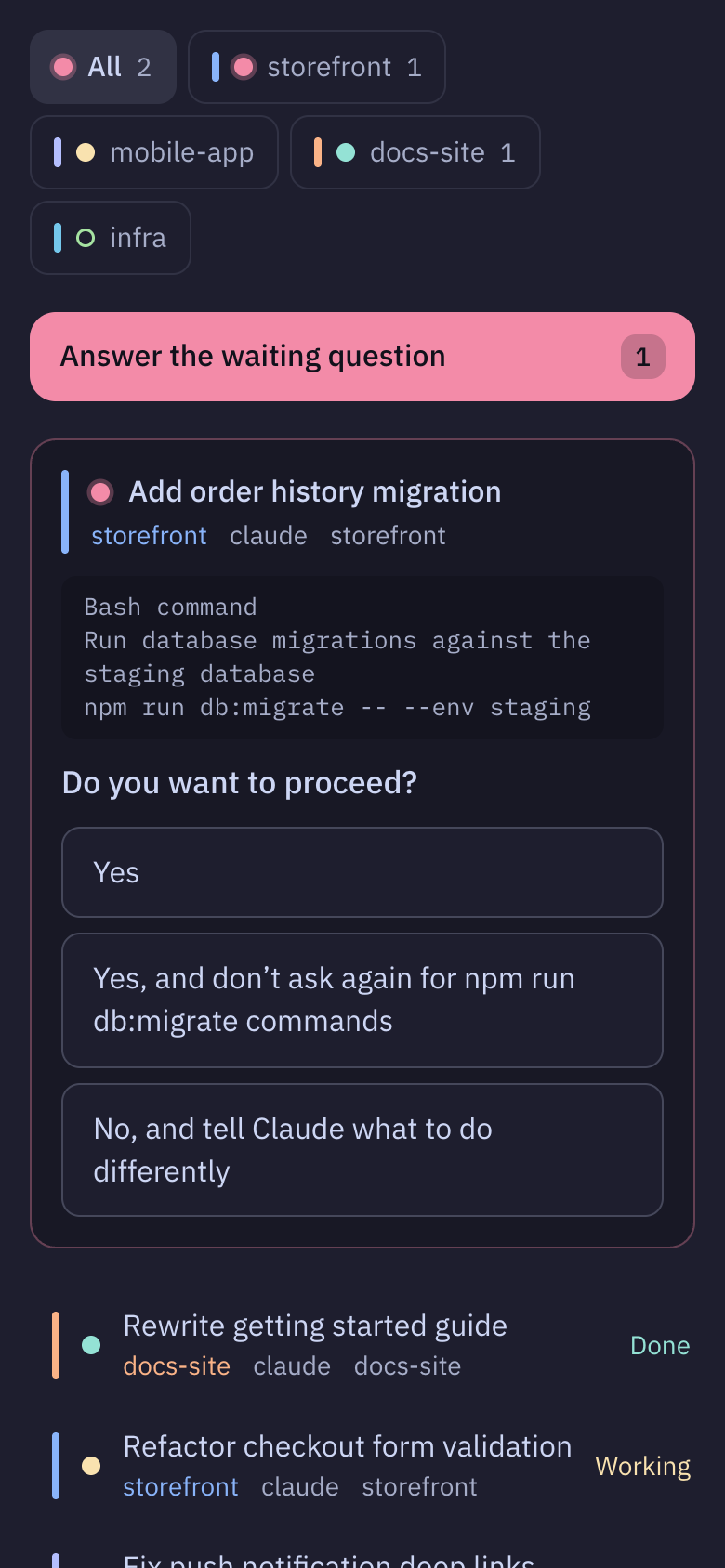
Every workspace in one view
Each herdr workspace is a tab. “All” comes first and shows every agent. Each agent shows its herdr status.
Prompts become buttons
When Claude Code asks for permission or asks a question, tap an option to answer. Multi-select and multi-question prompts work too.
Decisions mode
Step through every waiting question across all workspaces, one at a time.
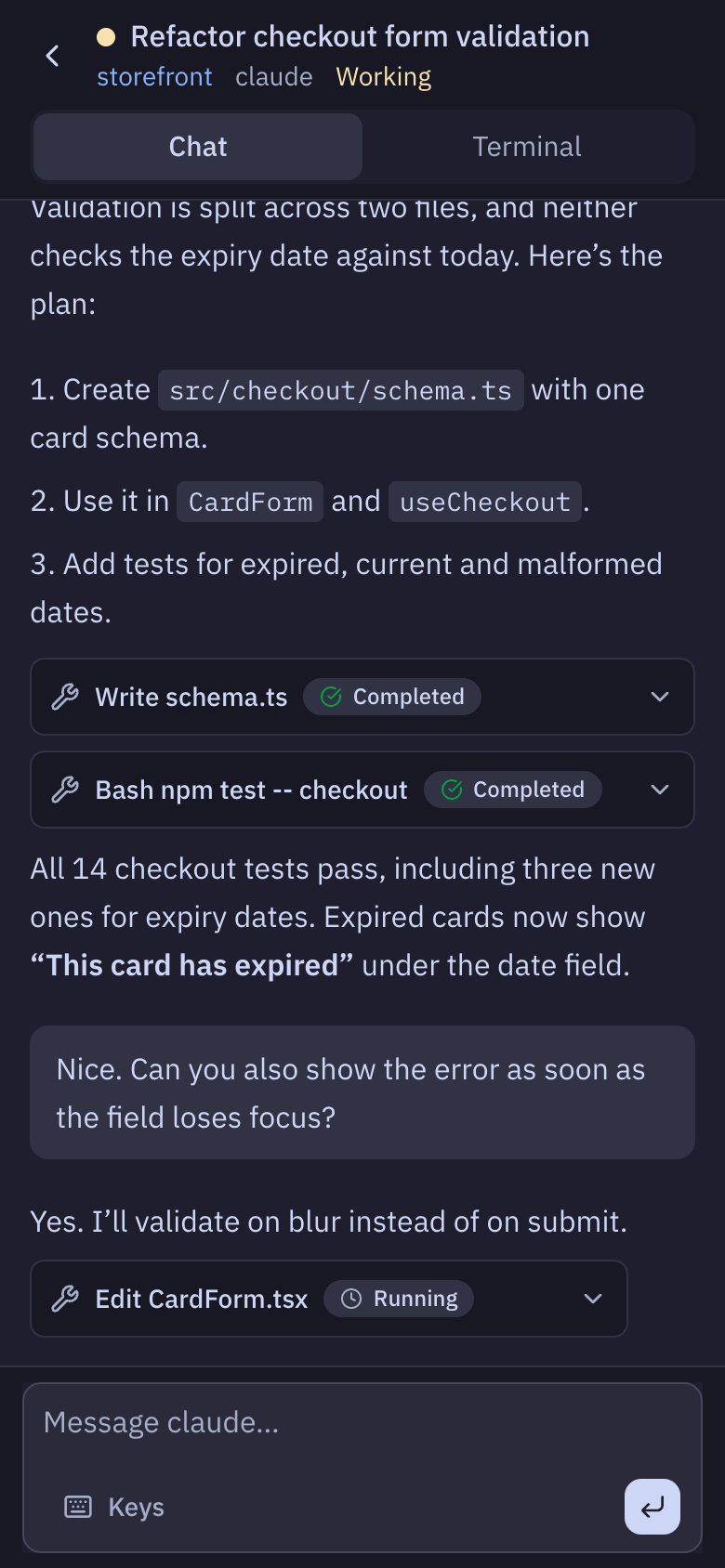
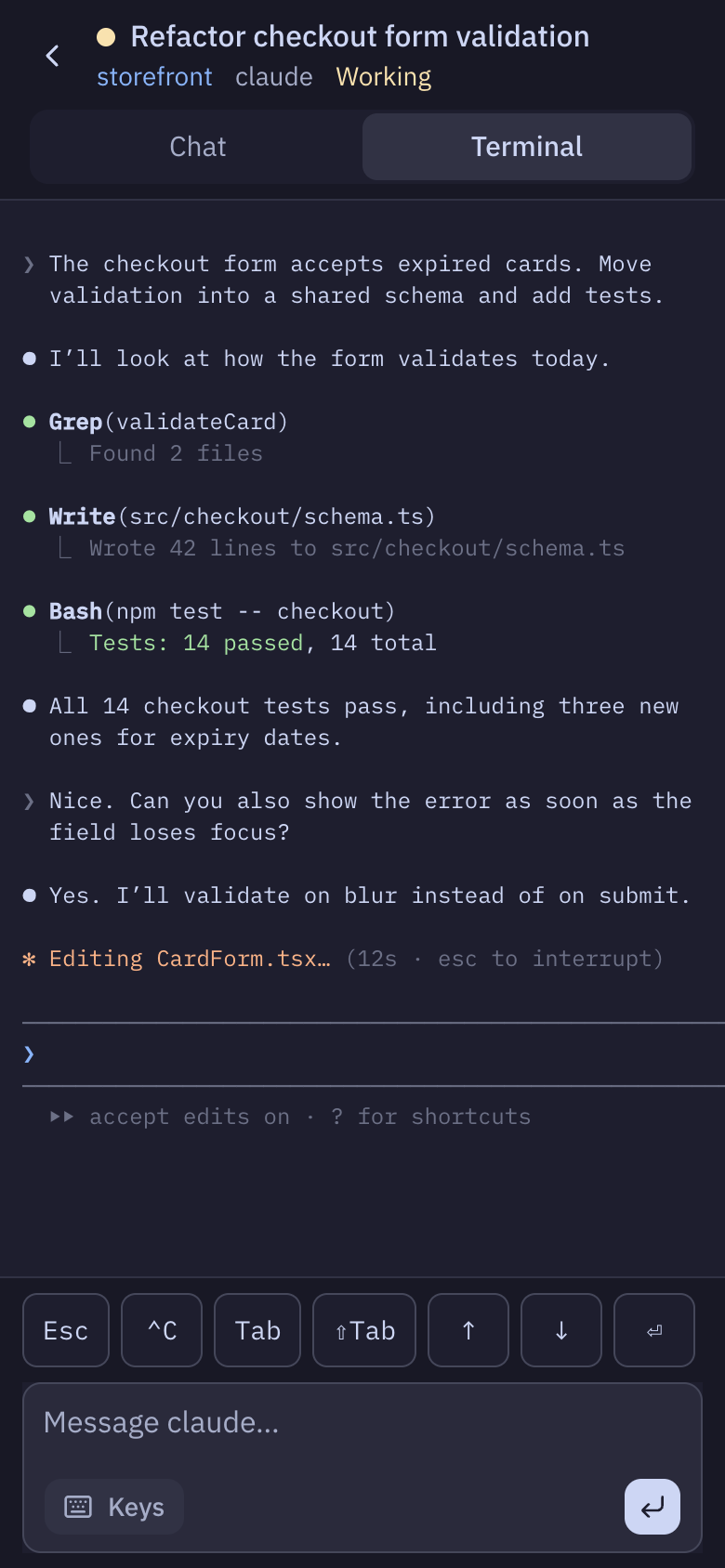
The full session
Open an agent to read the conversation as a chat or see its terminal. Send it a message or keys: Esc, Ctrl-C, Tab and the arrows.
What it leaves out
There is no Tailscale, Cloudflare, Telegram or push setup. The server listens on 127.0.0.1 only. Reach it the way you already reach your machine: a tailnet, an SSH tunnel, a reverse proxy or remote desktop. It sends no telemetry and makes no outbound requests.
Anyone who can load the dashboard can type into your terminals, so only expose it through something that already authenticates you, such as a tailnet or an SSH tunnel.
Tappable prompt options work with Claude Code only. Other agents get status, the terminal and the message box.
MIT licensed. Source on GitHub · Release 0.1.0
Built by Lab 486
Lab 486 is an applied AI consulting practice in Atlanta. It helps organizations adopt LLMs and build software with them. See the problems it works on, or write to hello@lab486.io.